Detail: SEM (Linear) Parametric Model
This page describes the SEM (linear SEM) model type in the Parametric Model and Instantiated Model boxes. These models are linear Gaussian structural equation models with path coefficients and Gaussian error terms.
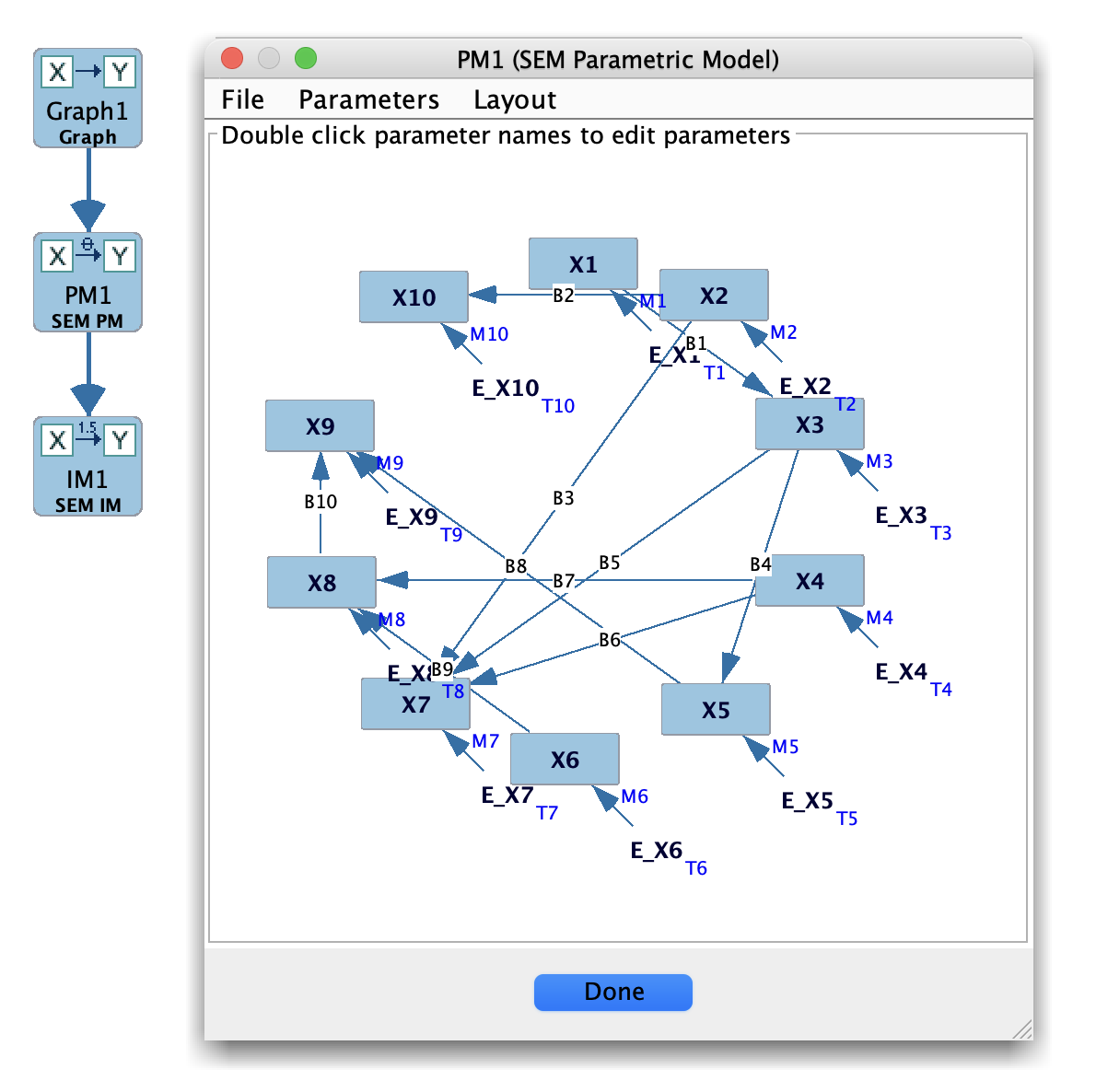
SEM Parametric Model
When to use SEM models
Use the SEM model family when:
Your variables are continuous (or treated as such).
You want a linear model of the form
( X = \sum_{Y \in ext{Parents}(X)} b_{YX} Y + arepsilon_X ),
with ( arepsilon_X ) Gaussian (possibly correlated).
Common use cases include:
Covariance-structure modeling based on a graph.
Evaluating search algorithms that assume linear Gaussian SEMs.
Connection to standard SEM fit indices ((\chi^2), RMSEA, CFI, etc.).
Main panel layout
For SEM parametric models, the main panel typically shows:
A parameter table listing:
Regression/path coefficients for edges in the graph.
Error variances (and optionally covariances).
Indicators for whether parameters are free or fixed.
Optional constraints or labels on parameters.
For instantiated SEM models (after estimation), you may see:
Estimated parameter values and standard errors.
Global fit indices ((\chi^2), df, RMSEA, CFI, SRMR, BIC, etc.), when supported.
Residual covariance information.
Typical workflow
Create an SEM parametric model
Start from a directed graph (often a DAG or SEM-style graph) in the Graph box.
In the Parametric Model box, choose New → SEM (linear) to create a model whose structure matches the graph.
Specify or inspect parameters
Review default path coefficients and error variances.
Fix or free parameters as needed (e.g., setting certain paths to fixed values or zero).
Optionally impose equality or other constraints, if supported.
Estimate from data
Pass the SEM parametric model and a dataset to the Estimator box.
Choose an SEM estimator (e.g., ML) and compute parameter estimates and fit indices.
The results appear in an Instantiated Model.
Use with Simulation or Compare
Use the fitted SEM as a data-generating model in the Simulation box.
Use Compare and Model Fit to evaluate how well the SEM describes observed data versus alternative models.
Tips and caveats
Check model identification; non-identified models can give unstable or meaningless estimates.
Make sure the graph structure used to create the SEM matches your theoretical assumptions (e.g., no cycles in a standard SEM).
For mixed or strongly nonlinear relationships, consider Hybrid or Generalized models.