Detail: Generalized Instantiated Model
This page describes Generalized instantiated models in the Instantiated Model box. These are custom models with user-specified functional forms and error distributions that have been fitted (or at least evaluated) on data, starting from a Generalized parametric model.
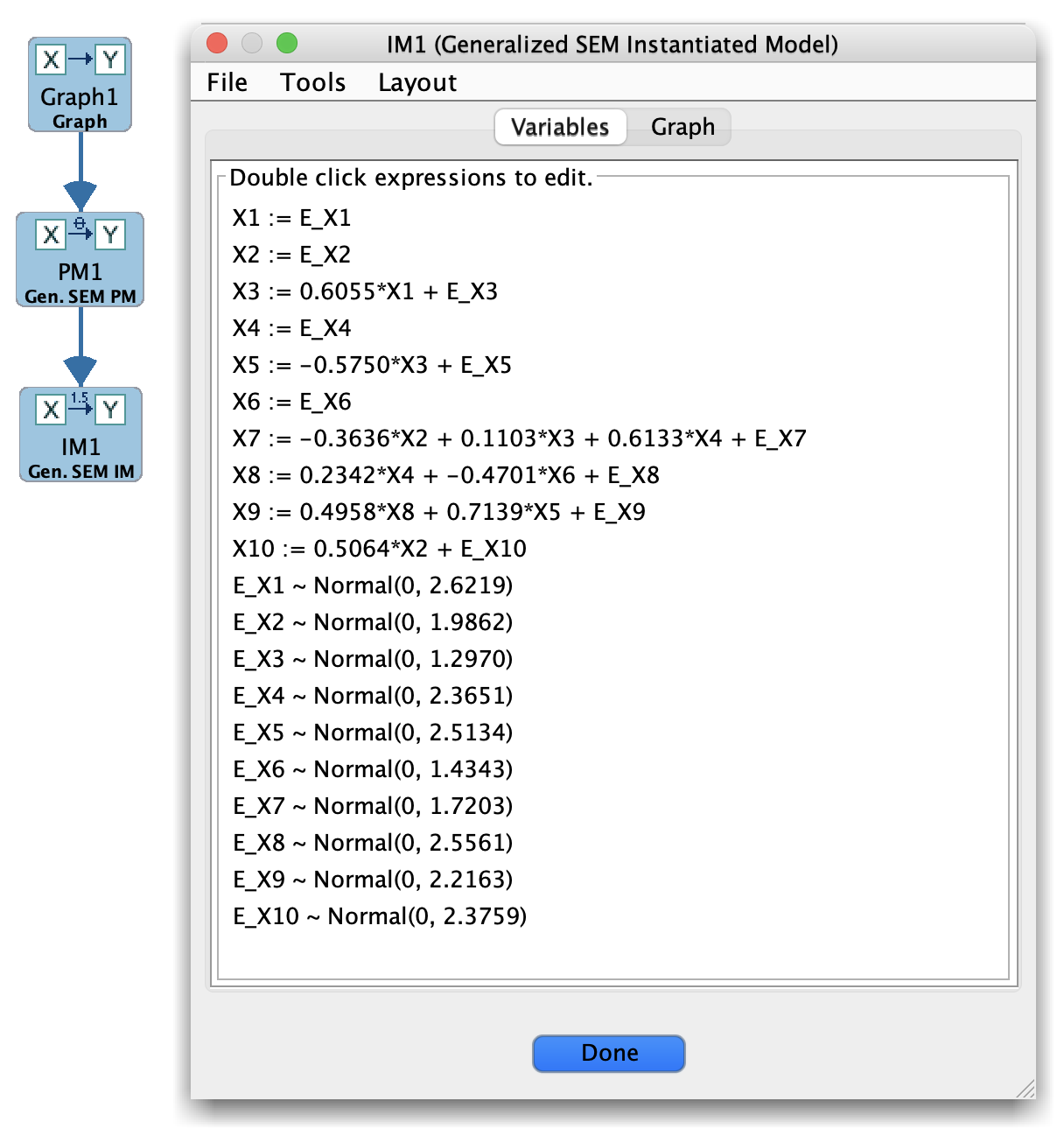
Generalized Estimator
A Generalized instantiated model contains:
The underlying graph structure.
Concrete parameter values for the specified functions at each node.
Any error-distribution parameters used in the model.
Optional fit summaries or scores, depending on the estimator.
How Generalized instantiated models are created
In the Parametric Model box, build a Generalized model:
Specify the functional form for each variable given its parents.
Specify the error distribution for each variable.
In the Estimator box (if supported for your Generalized setup), select:
The Generalized parametric model, and
A dataset.
Run an estimator or evaluation routine to obtain parameter values and fit summaries.
Save or send the result to the Instantiated Model box.
In some workflows, Generalized models are used mainly for simulation and are “instantiated” by construction rather than by fitting.
Instantiated Model box layout (Generalized)
When you select a Generalized instantiated model, the main panel typically includes:
A summary of the functional form and parameters for each variable.
Any estimated error-distribution parameters.
Fit or evaluation metrics, if the estimator computes them.
Because Generalized models are highly customizable, the exact layout may vary more than for the other model families.
Typical uses
Generalized instantiated models are useful when you want to:
Simulate complex data (nonlinear, non-Gaussian) that reflect a particular causal story, then test search algorithms against it.
Evaluate whether a proposed nonstandard model provides a better fit than simpler Bayes/SEM/Hybrid models.
Store and document the exact parameterization used in a simulation study.
Tips
Document your choices of functional forms and error distributions carefully, for example using a Note box and meaningful model names.
Start with a simpler special case (e.g., linear with non-Gaussian errors) and then add complexity, so that you can debug estimation and simulation in stages.