Detail: Generalized Parametric Model
This page describes the Generalized model type in the Parametric Model and Instantiated Model boxes. These models offer a flexible framework where you specify functional forms and error distributions by hand.
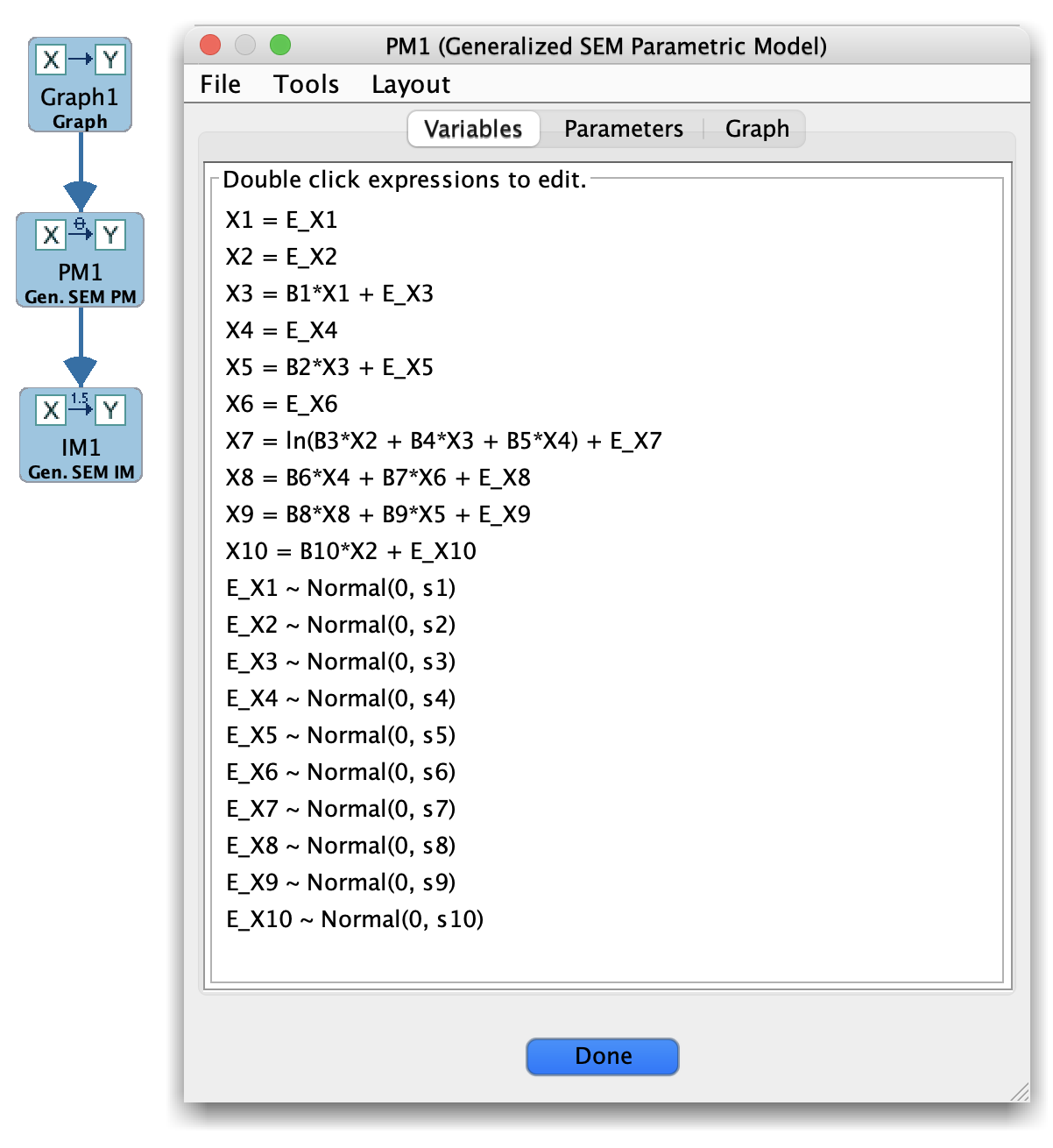
Generalized Parametric Model
When to use Generalized models
Use the Generalized model family when:
The predefined families (Bayes, SEM, Hybrid) are too restrictive, and
You want to define custom relationships, such as:
Nonlinear functions of parents.
Non-Gaussian error terms.
Mixtures or other specialized distributions.
This model family is intended for advanced users who need fine-grained control over the data-generating mechanism.
Main panel layout
For Generalized models, the main panel typically exposes:
A list of variables and their parents (based on an underlying graph).
For each variable:
A description or editor for the functional form (e.g., symbolic expression, code snippet, or parameterized function).
Controls for specifying the error distribution (e.g., Gaussian with parameters, non-Gaussian families, or user-defined errors).
The exact UI may depend on how the Generalized family is implemented in your Tetrad version.
Typical workflow
Create a Generalized parametric model
Start from a graph in the Graph box capturing the qualitative structure.
In the Parametric Model box, choose New → Generalized to create a skeleton model using that structure.
Specify functional forms
For each variable, define how it depends on its parents:
Linear or polynomial functions.
Nonlinear functions (e.g., sigmoids, piecewise definitions).
Provide any needed parameters or hyperparameters.
Specify error distributions
Choose an appropriate error family for each variable:
Gaussian, heavy-tailed, skewed, etc.
Set distribution parameters (variance, scale, shape, etc.).
Use with Simulation
Generalized models are often used primarily as data-generating models in the Simulation box to create challenging nonlinear or non-Gaussian datasets.
Estimation (if supported)
In some configurations, the Estimator box may be able to fit subsets of parameters in a Generalized model; in others, the model is used mainly for simulation.
Tips and caveats
Start simple: begin with modest nonlinearities or deviations from Gaussian errors and build complexity gradually.
Be mindful of identifiability and overparameterization; extremely flexible models can mimic many different structures.
Document your functional forms and error choices (for example, using a Note box) so that simulation studies remain reproducible.