Updater Box
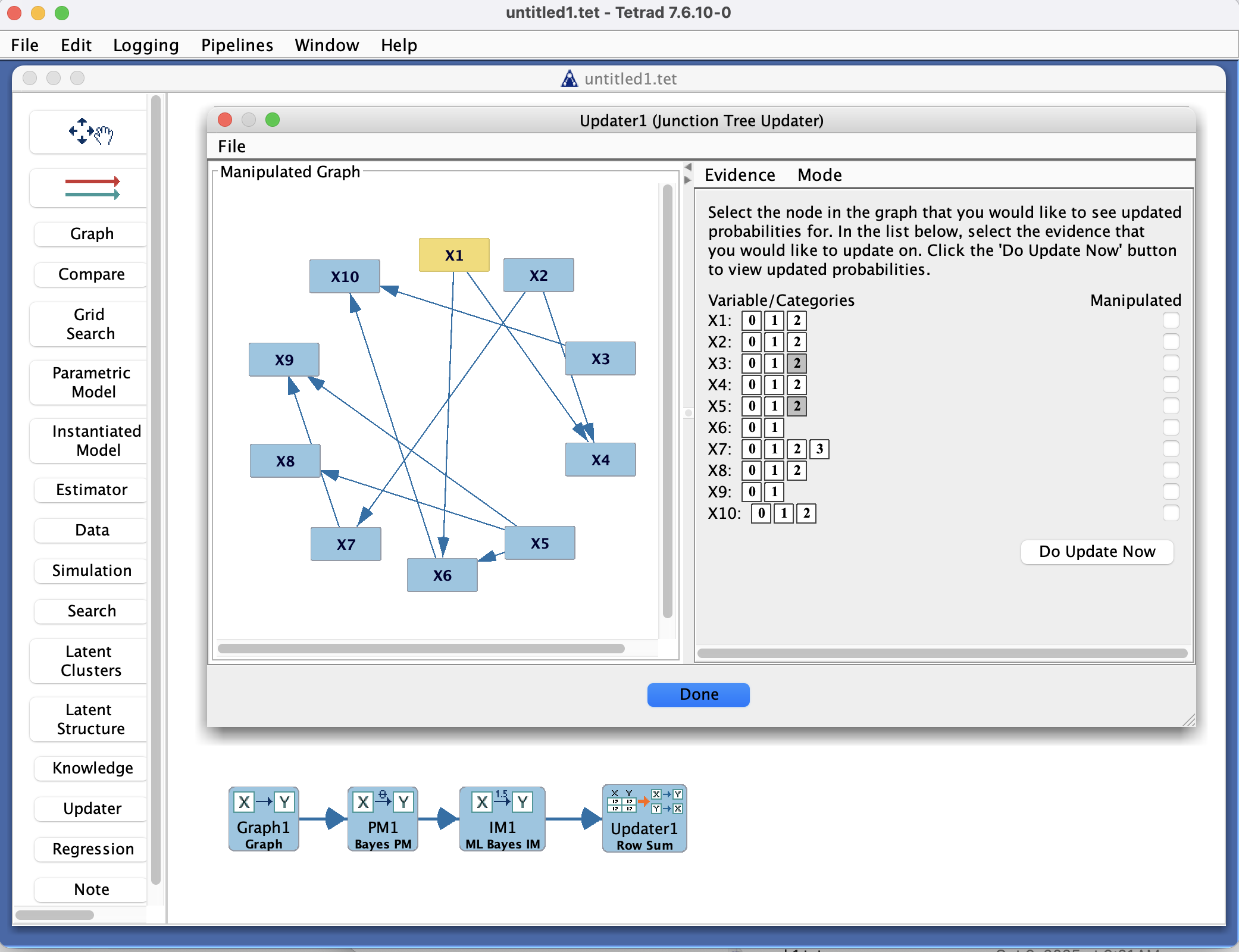
Updater Box in the Tetrad interface sidebar and main panel.
Purpose
The Updater box is where you apply updating procedures to an existing model in a Tetrad project. It takes an Instantiated Model (IM) or an Estimator output as input and lets you perform probabilistic learning by specifying:
Values for variables (evidence/observations), and
Manipulations (interventions / do-operations).
Given an instantiated model and those settings, the Updater computes updated (posterior) quantities for variables of interest.
Currently there are two main families of updaters:
Discrete updaters for discrete Bayesian models:
Junction Tree Updater (default)
Approximate Updater
Row Summing Updater
A SEM Updater for linear Gaussian SEMs.
Typical workflow
Connect an instantiated model or estimator
Place an Instantiated Model or Estimator box on the workbench.
Configure it to produce either:
A discrete Bayes model, or
A linear SEM.
Place an Updater box and draw an arrow from the IM/Estimator box to the Updater box.
Open the Updater box
Double-click the Updater box to open its interface.
The interface shows:
A list of variables from the input model,
Fields to set values (evidence) for some variables,
Controls to mark variables as manipulated (intervened on) and assign intervention values,
A control for choosing the updater type (for discrete models).
Choose an updater type
For discrete models, select one of:
Junction Tree Updater – exact inference using a junction tree (default).
Approximate Updater – sampling- or approximation-based inference for larger models.
Row Summing Updater – table-based inference by summing over CPT rows.
For linear SEM models, the SEM Updater is used.
Specify evidence and manipulations
For each variable you want to condition on:
Enter an observed value (evidence).
For each variable you want to intervene on:
Mark it as manipulated and specify the intervention value (e.g., do(X = x)).
Run the update
Use the updater’s controls (e.g., an Update or Compute button, depending on your version) to perform inference.
The Updater computes:
Posterior distributions for discrete variables, or
Conditional means and variances for SEM variables, given the specified evidence and manipulations.
Inspect results
Updated probabilities or conditional summaries are shown in the Updater interface.
You can adjust values and manipulations and recompute to explore “what-if” scenarios.
Updater types and detail pages
The Updater box supports the following updater types, depending on the model type:
Model type |
Updater option |
Detail page |
|---|---|---|
Discrete Bayes model |
Junction Tree Updater |
|
Discrete Bayes model |
Approximate Updater |
|
Discrete Bayes model |
Row Summing Updater |
|
Linear SEM |
SEM Updater |
|
See the individual detail pages for conceptual descriptions and implementation notes for each updater.
Connecting the Updater with other boxes
The Updater box fits into the broader workflow as follows:
Inputs
Instantiated Model or Estimator:
Provides the model to be updated (discrete Bayes model or linear SEM).
(Sometimes) Data:
Data are typically used upstream to estimate the model; the Updater itself works with the instantiated model.
Outputs
The Updater does not change the model structure or parameters; instead, it:
Computes posterior distributions or conditional summaries,
Displays them in its own interface.
You can use these results to:
Interpret effects of interventions,
Compare outcomes across different evidence/manipulation scenarios,
Inform further modeling decisions.
You can also create multiple Updater boxes attached to the same instantiated model to explore different evidence and intervention scenarios in parallel.
Common patterns & tips
Use a discrete updater (Junction Tree, Approximate, or Row Summing) when your instantiated model is a discrete Bayes network.
Use the Junction Tree Updater when exact inference is feasible; switch to the Approximate Updater when models become too large or dense.
Use the Row Summing Updater when you want a conceptually simple, table-based calculation (useful in teaching or debugging).
Use the SEM Updater for linear Gaussian SEMs to compute:
Conditional means and variances under evidence,
The effect of interventions (\text{do}(X = x)) in the linear SEM setting.
When performing “what-if” analyses:
Keep the instantiated model fixed,
Duplicate an Updater configuration and vary only the evidence or manipulations,
Compare the resulting updated quantities.