Knowledge Box
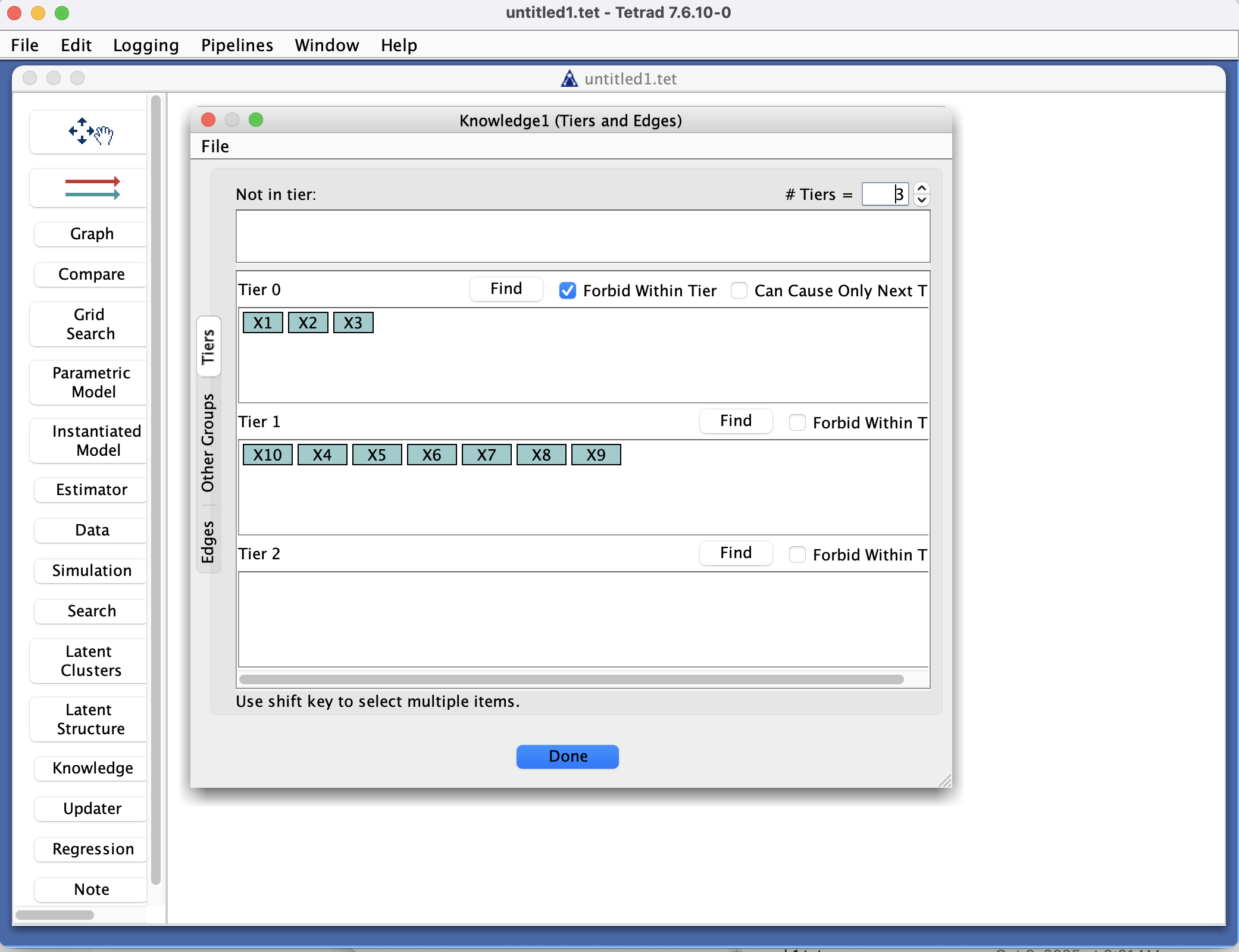
Knowledge Box in the Tetrad interface sidebar and main panel.
Purpose
The Knowledge box is where you specify background knowledge about the causal structure that should constrain search algorithms and other procedures in Tetrad. This knowledge can include:
Forbidden edges – edges that must not appear (e.g.,
Y → Xis disallowed).Required edges – edges that must appear if compatible with the graph type (e.g.,
X → Y).Tiers or temporal ordering – variables that are earlier or later in time, so edges cannot go “backwards”.
Other structural constraints, depending on the algorithms and version.
You use this box to:
Encode strong domain knowledge (e.g., time ordering, interventions, biological directions).
Rule out implausible models.
Improve both correctness and efficiency of search.
Typical workflow
Identify variables and constraints
After loading data in the Data box (and possibly defining graphs), decide:
Which variables clearly precede others (e.g., baseline covariates before outcomes).
Which directions of influence are impossible or mandatory.
Open the Knowledge box to create or edit a knowledge object.
Define tiers (optional but common)
In the tier editor:
Place variables into ordered blocks (tiers) such that edges are only allowed from earlier tiers to later tiers.
This is useful for:
Longitudinal data (time 1 → time 2 → time 3).
Clearly staged processes (e.g., genotype → phenotype → outcome).
Specify forbidden and required edges
Use the edge constraints editor to:
Mark specific directions as forbidden (e.g.,
Y → Xcannot occur).Mark specific directions as required (e.g.,
X → Ymust occur, if the graph type allows it).
You can often select variables from drop-downs and click buttons to add the constraint.
Use knowledge in search
In the Search box, select the knowledge object you defined.
When you run a search algorithm that supports background knowledge:
Forbidden edges will never be suggested.
Required edges will be enforced where compatible.
Tiers will restrict possible edge directions.
Refine and reuse
After seeing search results:
You may update knowledge (e.g., adding new constraints suggested by domain experts).
Save the project to keep the knowledge object for future runs or related datasets.
Key controls
Toolbar
New – create a new knowledge object.
Duplicate / Rename / Delete – manage existing knowledge objects.
Export / Import – save or load knowledge from files (when supported).
Knowledge list
Shows all knowledge objects defined in the project.
Selecting one loads its tiers and edge constraints into the main panel.
Main panel
Typically divided into:
Tiers editor – assign variables to ordered tiers.
Forbidden / Required edges editor – specify edge-level constraints.
May include additional options for:
Allowing or disallowing certain graph types or patterns.
Interpreting knowledge in different ways for different algorithms (depending on version).
Common patterns & tips
Start with coarse-grained knowledge (e.g., tiering) before adding many detailed edge constraints.
Tiering is easy to specify and often very powerful.
Only add strong, defensible constraints:
Overly aggressive constraints can force algorithms to miss valid models.
Under-specified knowledge is safer but may give less benefit.
Keep separate knowledge objects for:
Different experimental conditions or subpopulations.
Different modeling assumptions (e.g., conservative vs. aggressive prior constraints).