Detail: Hybrid (Conditional Gaussian) Parametric Model
This page describes the Hybrid (conditional Gaussian) model type in the Parametric Model and Instantiated Model boxes. These are conditional Gaussian (CG) models that combine discrete and continuous variables.
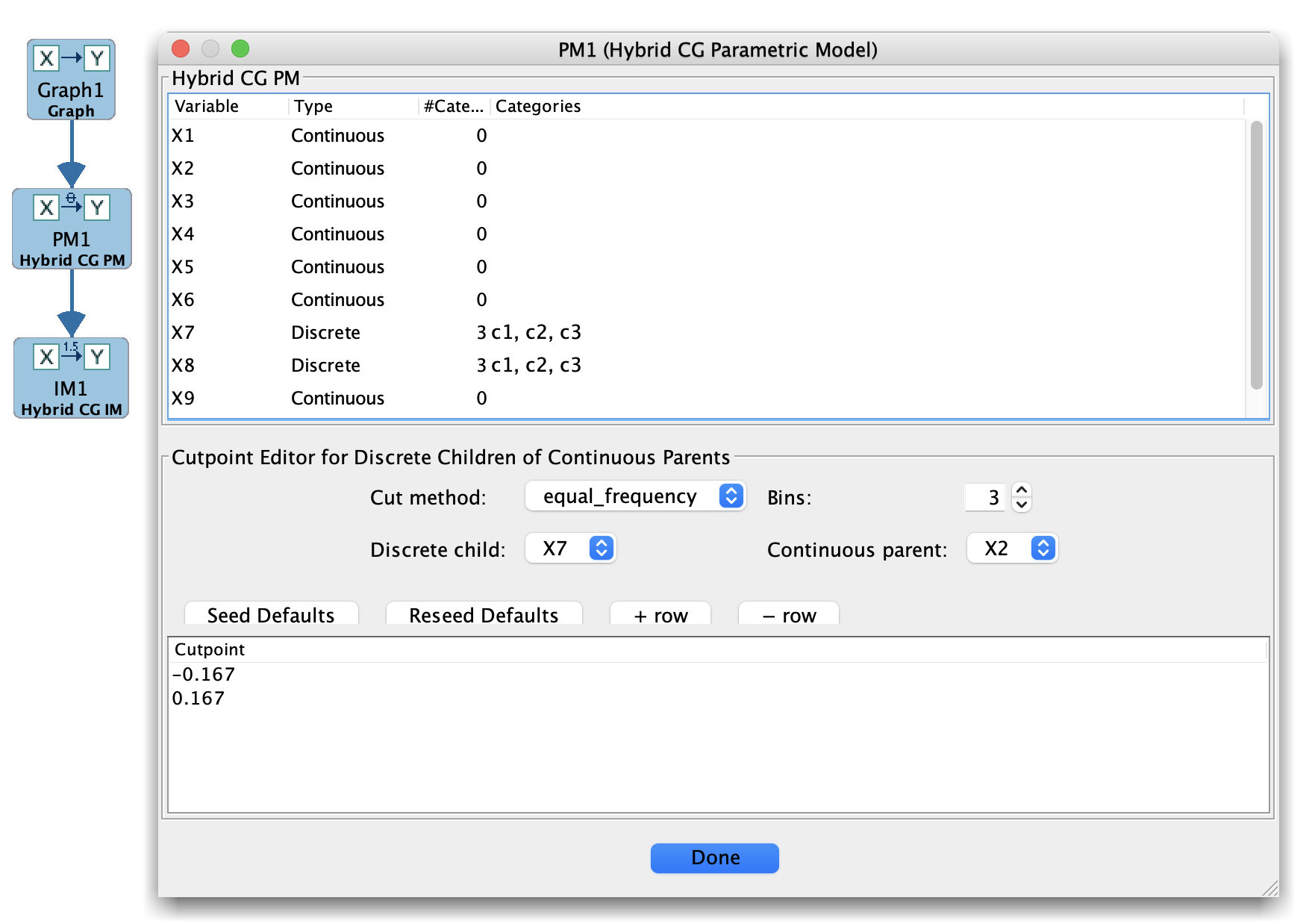
Hybrid Parametric Model
When to use Hybrid models
Use the Hybrid model family when:
You have a mix of discrete and continuous variables, and
You want a model in which:
Discrete variables can act as parents of continuous variables, and
Continuous variables have linear-Gaussian conditional distributions given their parents, with parameters that may depend on discrete parent configurations.
This corresponds to the Hybrid / CG API in the Tetrad library.
Main panel layout
For Hybrid models, the main panel typically shows:
Variable types (discrete vs continuous).
For discrete variables:
State spaces and CPT-style parameters for ( P(X \mid ext{Parents}(X)) ) when parents are discrete.
For continuous variables:
Linear-Gaussian regression parameters conditional on parents, often separated by discrete parent configurations (i.e., different regression coefficients and variances per configuration).
The exact layout may be a combination of CPT-like editors and SEM-style parameter tables.
Typical workflow
Create a Hybrid parametric model
Start from a mixed graph in the Graph box where variables have been typed as discrete or continuous.
In the Parametric Model box, choose New → Hybrid (conditional Gaussian).
Specify discrete and continuous parts
For discrete variables, edit their CPT parameters as in the Bayes case.
For continuous variables, specify regression coefficients and error variances, potentially separately for each configuration of discrete parents.
Estimate from data
Pass the Hybrid model and a mixed dataset to the Estimator box.
Choose a Hybrid/CG estimator (when available) to fit parameters.
Use with Simulation and Compare
Use the fitted Hybrid model in the Simulation box to generate mixed discrete/continuous data.
Compare learned graphs or models against the Hybrid generative truth in Compare.
Tips and caveats
Hybrid models are more complex; keep an eye on:
The number of discrete parent configurations (which can grow quickly).
Whether the sample size is sufficient to estimate separate regressions for each configuration.
Ensure that variable types are set correctly before creating the Hybrid parametric model.