Detail: Hybrid (Conditional Gaussian) Instantiated Model
This page describes Hybrid (conditional Gaussian) instantiated models in the Instantiated Model box. These are mixed discrete/continuous conditional Gaussian (CG) models fitted to data, starting from a Hybrid parametric model.
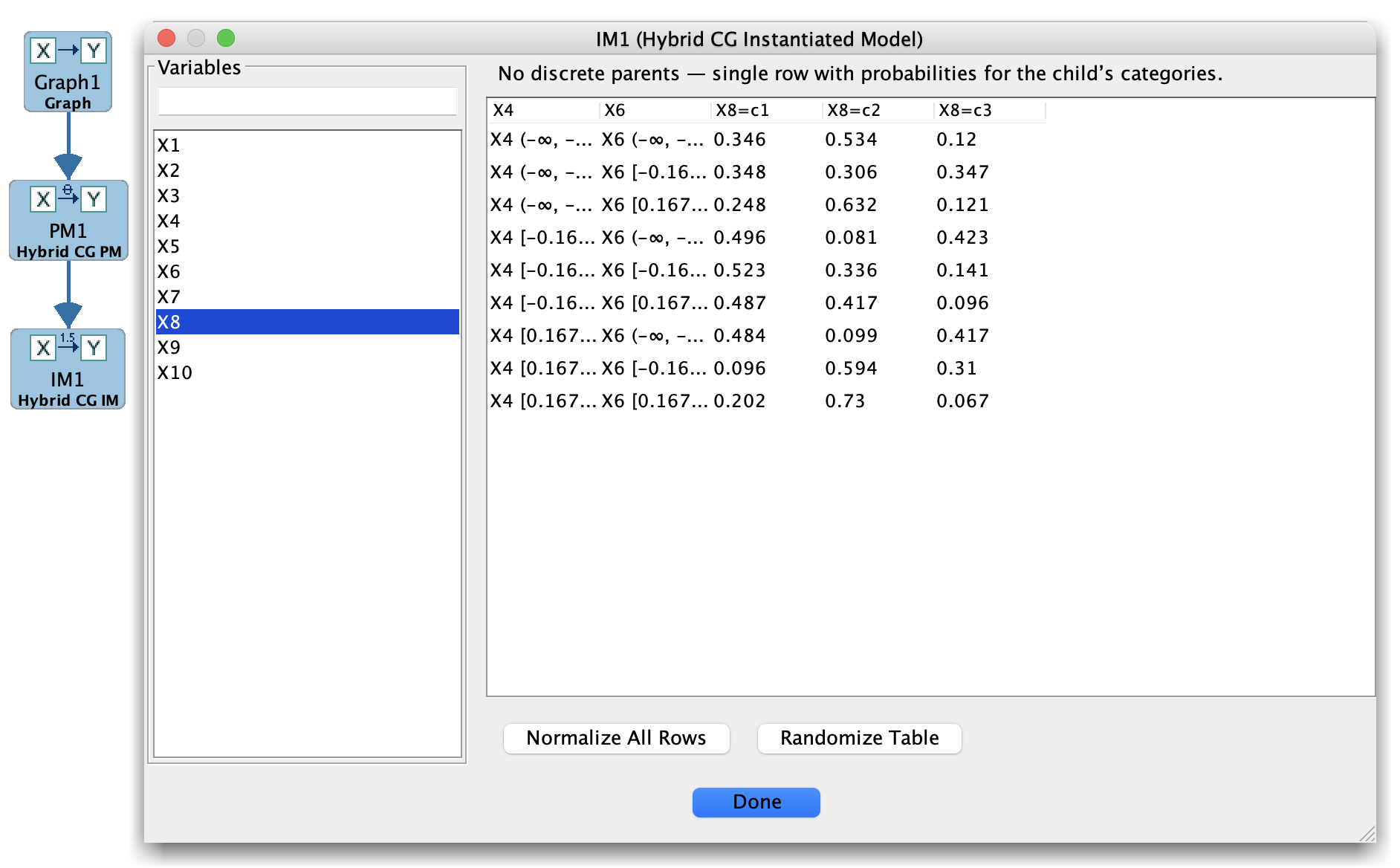
Hybrid Instantiated Model
A Hybrid instantiated model contains:
A graph over discrete and continuous variables with typed nodes.
For discrete variables:
Estimated probabilities for (P(X \mid \text{Parents}(X))).
For continuous variables:
For each configuration of discrete parents, estimated linear-Gaussian regression parameters (coefficients and variances) conditional on parents.
How Hybrid instantiated models are created
In the Parametric Model box, create a Hybrid (conditional Gaussian) model, making sure that variable types (discrete/continuous) match the data.
In the Estimator box, select:
The Hybrid parametric model, and
A mixed dataset from the Data box.
Choose a Hybrid/CG estimator (when available) and run it.
Save or send the fitted result to the Instantiated Model box.
Instantiated Model box layout (Hybrid)
When you select a Hybrid instantiated model, the main panel typically shows:
For discrete variables:
Estimated CPTs for their conditional distributions.
For continuous variables:
Estimated regression coefficients and error variances, often broken down by discrete parent configuration.
Optional likelihood- or score-based summaries for the overall model.
Because Hybrid models combine discrete and continuous pieces, the instantiated view often looks like a mix of the Bayes and SEM views.
Typical uses
Hybrid instantiated models are useful when you want to:
Simulate realistic mixed data from a fitted CG model in the Simulation box.
Compare mixed-model search algorithms against a known generative Hybrid model using the Compare box.
Inspect how continuous variables behave under different discrete parent configurations.
Tips
Watch sample sizes for each discrete parent configuration; small cell counts can lead to unstable continuous-parameter estimates.
Confirm that variable types and coding (especially for discrete variables) are consistent between the data, graph, and parametric model.