Latent Clusters Box
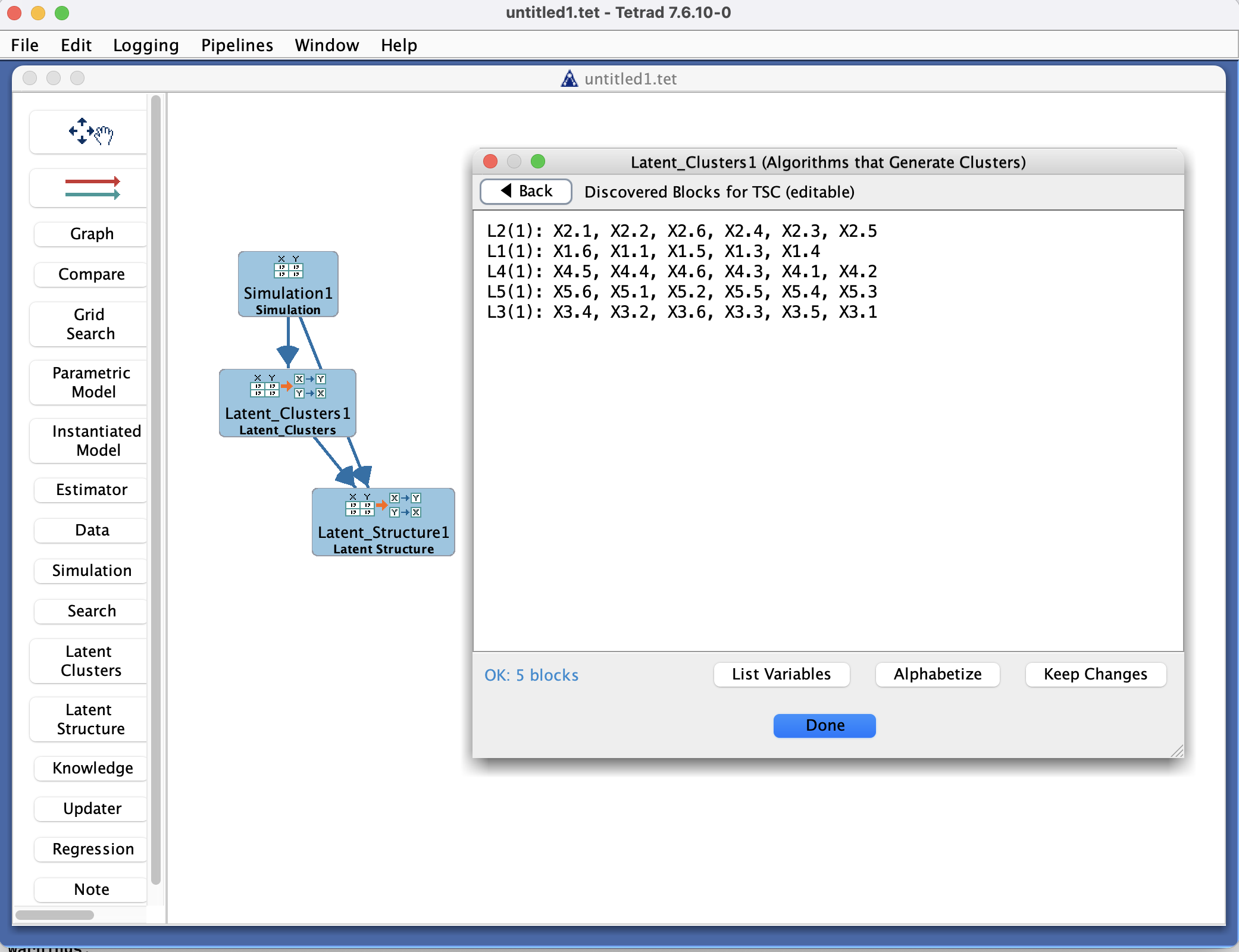
Latent Clusters Box in the Tetrad interface sidebar and main panel.
Purpose
The Latent Clusters box is where you work with clusterings and latent-cluster models inferred from data. These tools group observed variables (or sometimes cases) into clusters that are interpreted as being driven by unobserved (latent) factors.
You use this box to:
Run clustering or latent-cluster discovery procedures.
Inspect which variables belong to which clusters.
Create graphs or models that treat clusters as latent variables.
Using latent clusters with Simulation
Cluster results by themselves only group variables; they do not yet specify a full causal structure over the latent variables. To use latent clusters in Simulation mode, you typically:
Derive a latent structure (in the Latent Structure box) that introduces latent nodes and edges among them, using the clusters as indicators.
Use that latent structure model (possibly converted to a parametric model) as the source in the Simulation box.
See also:
Tetrad Interface → Detail Callouts → Latent Models and Simulation
Typical workflow
Prepare data
In the Data box, load and inspect the dataset you want to cluster.
Make sure variable types are appropriate for the clustering method you plan to use.
Run a latent clustering method
In the Latent Clusters box, choose:
The dataset.
A clustering or latent-variable discovery method (depending on what your Tetrad version exposes).
Configure method-specific options:
Number of clusters or range of clusters to consider (if required).
Any regularization or stopping criteria.
Click Run to perform clustering.
Inspect clusters
After the method finishes, select a latent clusters object from the list.
Use the main panel to view:
Which observed variables belong to which clusters.
Optional cluster-level summaries or statistics.
In some workflows, you can project these clusters into:
A graph where each cluster is represented as a latent node with edges to its member variables.
A parametric model (e.g., a multiple-indicator model).
Use clusters in further modeling
Export or convert the clustering result to:
A Graph with latent variables.
A Parametric Model or other downstream structure.
Use these derived structures in Search, Simulation, or Estimator as appropriate.
Key controls
Toolbar
New / Configure – set up a new latent clustering specification.
Run – execute the selected clustering method on the chosen dataset.
Duplicate / Rename / Delete – manage existing clustering results.
Export – save cluster assignments or derived structures to a file, if supported.
Latent clusters list
Shows all latent-cluster objects in the project.
Each entry typically corresponds to:
A dataset,
A chosen method,
Specific parameter settings (e.g., number of clusters).
Main panel
Displays details for the selected latent clusters object, such as:
A table mapping variables to clusters.
Cluster sizes and basic summaries.
Optional visualization or a derived graph view.
Common patterns & tips
Use latent clusters as a preprocessing step when you suspect that many observed variables are driven by a smaller number of latent factors.
When evaluating cluster stability:
Run the same method with different random seeds or subsets of the data.
Compare assignments across runs using external tools or the Compare box (when applicable).
Be cautious in interpretation:
Latent clusters are a modeling convenience and may or may not correspond to real-world constructs.
Always combine clustering results with domain knowledge.