Parametric Model Box
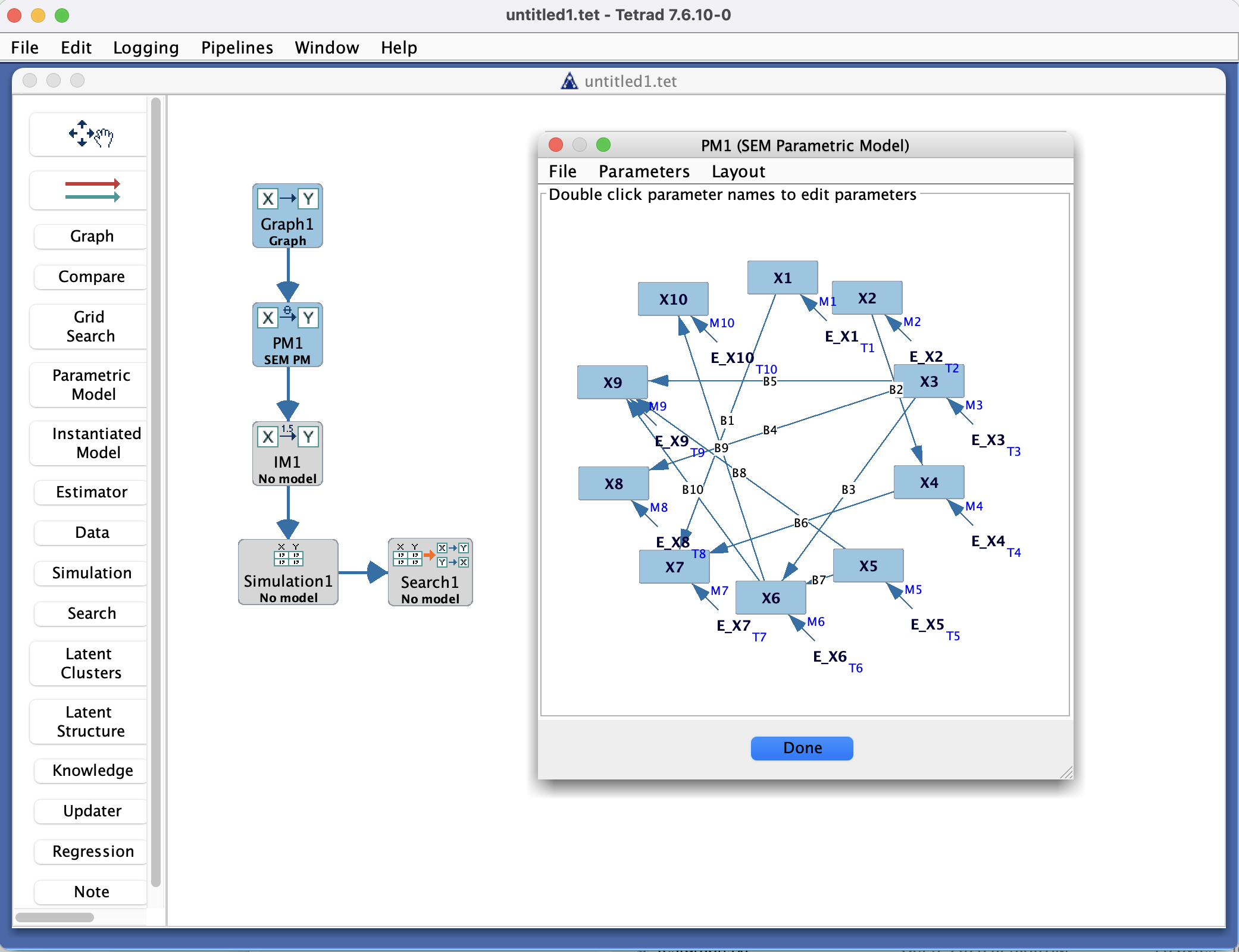
Parametric Model Box in the Tetrad interface sidebar and main panel.
Purpose
The Parametric Model box is where you work with parametric statistical models in a Tetrad project. These are typically structural equation models (SEMs) or related parametric forms specified in terms of parameters (e.g., path coefficients, variances, covariances) but not yet tied to specific data.
You use this box to:
Specify the form of a model (often aligned with a graph).
Inspect and edit parameters.
Prepare models for estimation, simulation, or comparison.
Model types
The Parametric Model box currently supports four main model families:
Bayes (multinomial) – discrete Bayesian networks with multinomial conditional probability tables.
SEM (linear SEM) – linear Gaussian structural equation models with path coefficients and error variances.
Hybrid (conditional Gaussian) – conditional Gaussian models (mixed discrete/continuous) using the Hybrid API we introduced in the Tetrad library.
Generalized – a flexible family where you specify the functional form and error distributions for each variable by hand.
The main panel layout and editable fields depend on the selected model type. Some downstream tools (e.g., particular estimators or simulators) are only defined for certain model families. For more details, see:
Tetrad Interface → Detail Callouts → Parametric & Instantiated Model Types
Typical workflow
Create a parametric model
Start from an existing graph (e.g., from the Graph or Search box) or choose a template model type.
In the Parametric Model box, use New to create a model based on that structure.
Check that variables and relationships match your intended causal or statistical model.
Inspect and edit parameters
Select a parametric model in the list to show its parameter table or editor in the main panel.
Review:
Path/loadings coefficients (if initialized).
Error variances and covariances.
Any fixed vs. free parameters.
Edit parameter values, fix/free flags, or constraints as needed.
Use with data (via Estimator or Instantiated Model)
Once the parametric form is set, pass it to:
The Estimator box to fit parameters to data, or
The Instantiated Model box to bind the model to a particular dataset and parameter estimates.
Save and reuse models
Save your Tetrad project to keep parametric models.
Optionally export model specifications (where supported) for use in other tools.
Key controls
Toolbar
New – create a new parametric model (often from a selected graph or template).
Duplicate / Rename / Delete – manage existing models.
Export – save a model specification to a file, if supported.
Model list
Shows all parametric models currently defined in the project.
Selecting an entry updates the main panel with its parameterization.
Main panel
Displays the selected model in a parameter-centric view, which may include:
A table of parameters (paths, variances, covariances, etc.).
Indicators of which parameters are free vs. fixed.
Optional constraints or labels.
Common patterns & tips
Align each parametric model with a named graph, so it is easy to remember which causal structure the model is meant to represent.
Use duplicate to create variants of a model (e.g., constrained vs. unconstrained) for comparison.
If you plan to estimate the model from data, make sure that:
Variable names in the model match variable names in the data.
The model is properly identified (otherwise estimation may fail or behave poorly).