Detail: Bayes (Multinomial) Parametric Model
This page describes the Bayes (multinomial) model type in the Parametric Model and Instantiated Model boxes. These models represent discrete Bayesian networks where each variable has a finite set of states and is parameterized by multinomial conditional probability tables (CPTs).
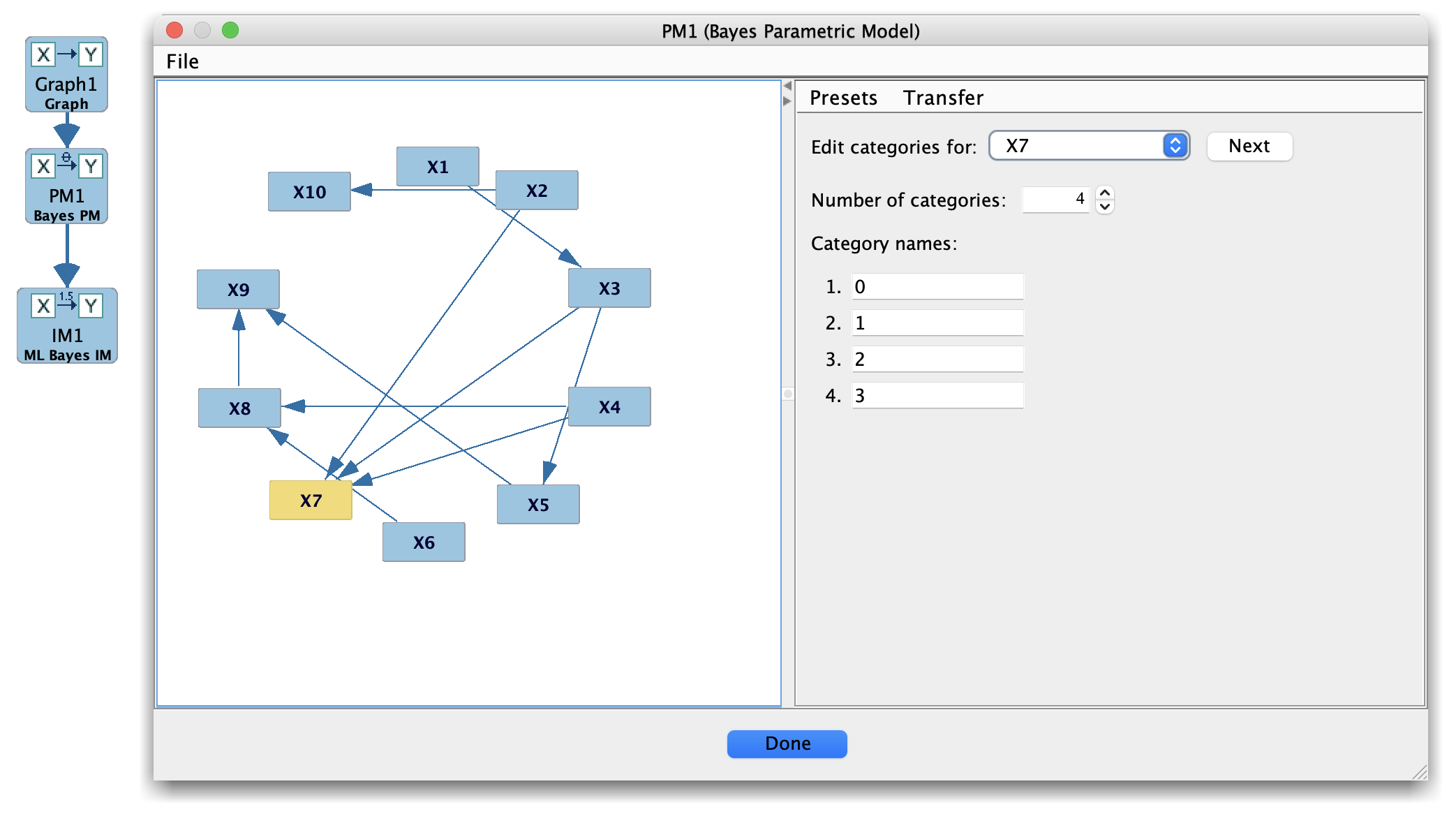
Bayes (Multinomial) Parametric Model
When to use Bayes models
Use the Bayes model family when:
All variables in the model are discrete (categorical with a small number of levels), and
You want a Bayesian network parameterization with CPTs of the form
( P(X \mid ext{Parents}(X)) ).
Typical examples include:
Discrete simulations with known probability tables.
Evaluating discrete search algorithms (e.g., BDe/BDeu-style scores).
Teaching or demos of small Bayesian networks.
Main panel layout
When you select a Bayes parametric model, the main panel typically shows:
A list of variables and their state spaces.
For each variable:
The set of parent configurations.
A CPT editor with the probabilities of the child states for each parent configuration.
Controls to:
Normalize probabilities in a row.
Copy/paste rows or tables.
Optionally randomize or reset CPTs.
(In an instantiated model, you will additionally see fit-related information, such as log-likelihood on a dataset, when available.)
Typical workflow
Create a Bayes parametric model
Start from a discrete graph in the Graph box (all variables discrete).
In the Parametric Model box, choose New → Bayes (multinomial) to build CPTs with a default parameterization (often uniform or lightly perturbed).
Edit CPTs
Select each variable and edit its CPT rows to reflect your prior knowledge or simulation design.
Make sure each row sums to 1; use the normalization tools if provided.
Estimate from data (optional)
Pass the Bayes parametric model to the Estimator box and fit the CPTs from discrete data using maximum likelihood or Bayesian estimators (depending on what your setup supports).
Use in Simulation or Compare
Use the fitted or hand-specified Bayes model in the Simulation box to generate discrete data.
Use Compare to evaluate search algorithms that attempt to recover the structure or parameters.
Tips and caveats
Keep the number of parents per node modest, as CPT size grows exponentially with the number of parents.
Ensure that the state labels in the model match the data exactly (including spelling and capitalization) before attempting estimation.
If you have mixed discrete/continuous data, consider the Hybrid (conditional Gaussian) model family instead of pure Bayes.