Estimator Box
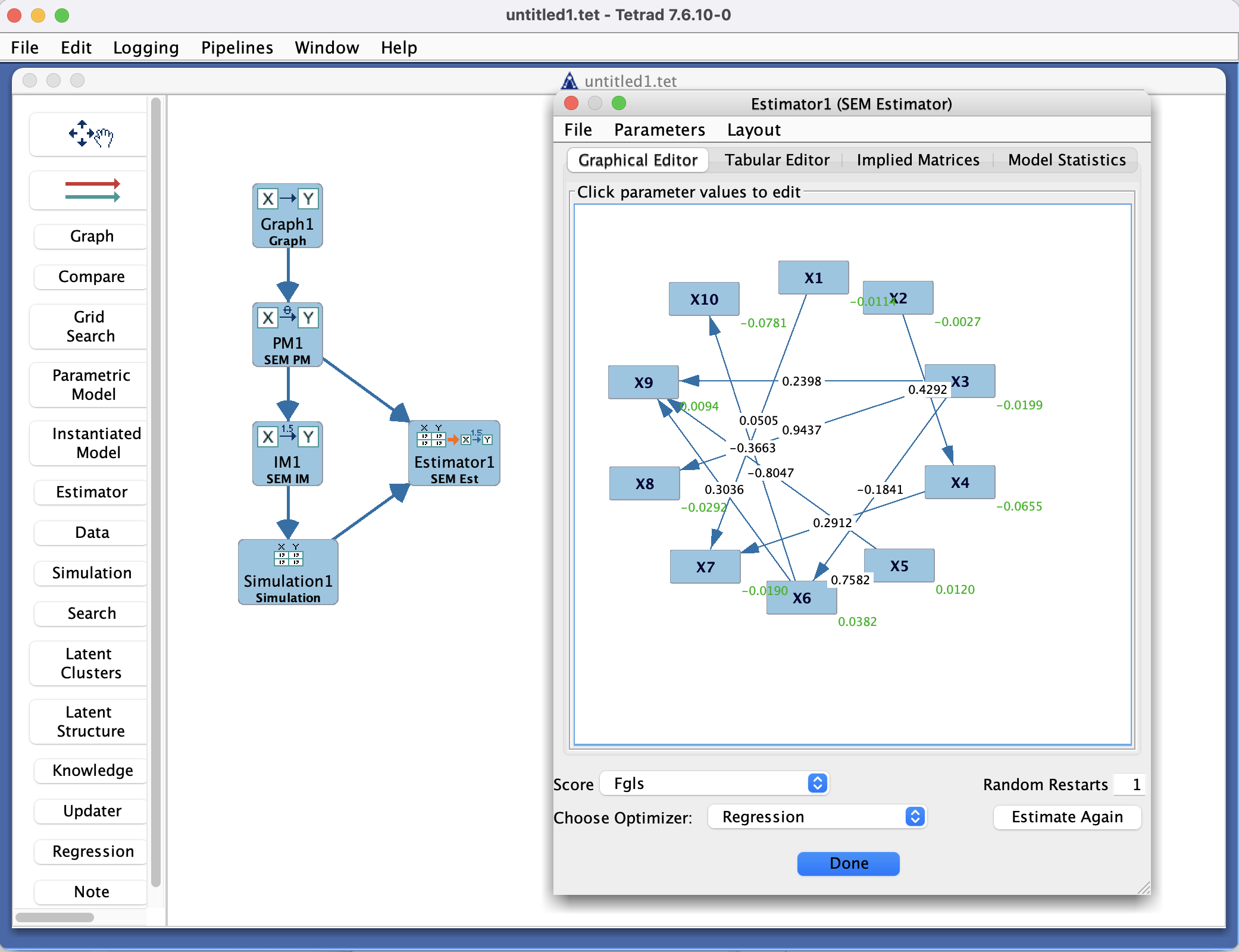
Estimator Box in the Tetrad interface sidebar and main panel.
Purpose
The Estimator box is where you fit parametric models to data. It connects:
a Parametric Model (from the Parametric Model box),
a dataset (from the Data box), – and a choice of estimation method (e.g., ML, Dirichlet, EM, GLS, or robust variants, depending on the model type),
and produces parameter estimates, standard errors (when available), and fit statistics. The fitted result can then be stored as an instantiated model.
Typical workflow
Choose a parametric model and dataset
In the Parametric Model box, define the model structure and parameters.
In the Data box, verify that variable names and types match the model.
In the Estimator box, select:
The parametric model to be estimated.
The dataset on which to estimate it.
Select an estimation method
From the Estimator configuration panel, choose the relevant estimator (for example):
Maximum likelihood (ML).
Weighted least squares or robust estimators (if available).
Adjust any estimator-specific options (e.g., tolerance, maximum iterations, missing-data handling).
Run the estimator
Click Run to estimate the model.
Progress and any warnings or errors are typically reported in a log or message area.
Inspect results
Once estimation finishes, inspect:
Parameter estimates and (when supported) standard errors.
Fit indices (e.g., χ², RMSEA, CFI, BIC).
Convergence status and diagnostics.
If you are satisfied, save or register the result as an instantiated model.
Reuse the fitted model
Use the instantiated model in:
Simulation (to generate synthetic data from the fitted model),
Compare (to compare fits across different models),
or other tools that require fully specified, data-tied models.
Key controls
Toolbar
New / Configure – set up a new estimation task or modify an existing one.
Run – start estimation using the current settings.
Stop – interrupt a long-running estimation.
Save / Instantiate – create an instantiated model from the last successful fit (depending on version).
Export – save parameter estimates and fit statistics to a file, when supported.
Estimation setup panel
Drop-downs or selectors for:
Parametric model.
Dataset.
Estimation method.
Additional options for:
Missing data handling.
Convergence criteria.
Robustness or scaling options (when available).
Results panel
A table of parameter estimates and possibly:
Standard errors.
p-values or confidence intervals.
A summary of model fit:
χ², df, p-values.
RMSEA, CFI, TLI, BIC, etc., if provided by the estimator.
Warnings about convergence or identification problems.
Common patterns & tips
Always confirm that variable names and ordering in the parametric model match those in the dataset.
If estimation fails or gives suspicious results:
Check for identification issues in the model.
Inspect the data for outliers, missingness patterns, or collinearity.
Try a different estimator or adjust convergence settings.
When comparing models, keep separate estimation runs (and instantiated models) with descriptive names indicating the estimator used and key options.
Estimator types and detail pages
The exact options available in the Estimator box depend on the type of Parametric Model connected to it. Use the links below to see the detail pages for each estimator.
Parametric model type |
Estimator option |
Detail page |
|---|---|---|
Bayes PM |
ML Bayes Estimator |
|
Bayes PM |
Dirichlet Estimator |
|
Bayes PM |
EM Bayes Estimator |
|
SEM PM |
SEM Estimator |
|
Hybrid CG PM |
Hybrid CG Estimator |
|
Generalized SEM PM |
Generalized SEM Estimator |
|